
BetGRW Casino Login
Log in to your BetGRW Casino account and get back to the games in seconds.
BetGRW Casino Games





Game Library




Being shut out of your BetGRW Casino account is annoying. You log in with your email, your password and an email confirmation, and almost every issue comes down to one of those three. Support is available 24/7 in English and French for anything you cannot solve on your own.
How to Log In to BetGRW Casino
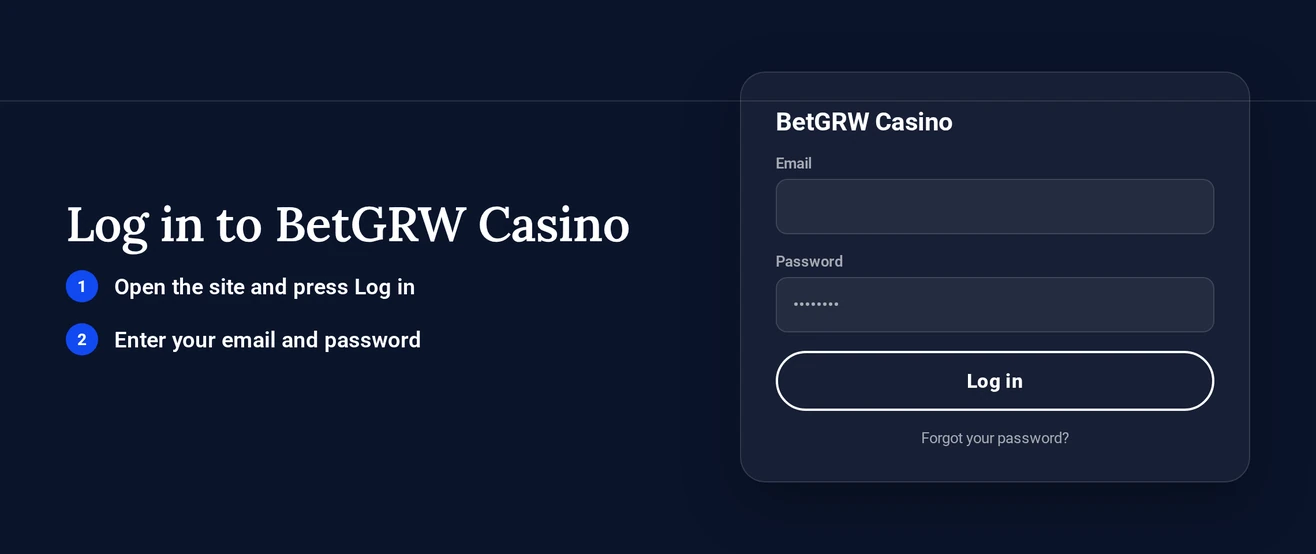
To log in at BetGRW Casino you need your registered email, your password and an email confirmation. These steps are the same on a desktop and in a mobile browser, since the mobile-responsive site runs straight in the browser with no download.
- Load the BetGRW Casino website in your browser.
- Click the Log In button.
- Type in the email address from your registration form, plus your password.
- Finish the email confirmation step using the message that arrives in your inbox.
- Let the lobby load, then open your account or begin playing.
Type the same email you signed up with, because a typo or a different address leaves you without an account. On a phone, Chrome, Safari or any other mobile browser accepts that same email and password.
Login Problems and Fixes
Most failed logins trace back to a mistyped password, a missing confirmation email or out-of-date browser data. Find your symptom in the table, then apply the fix.
| Problem | Likely Cause | Quick Fix |
|---|---|---|
| Wrong password message | Typo or an old password | Retype it, then reset the password |
| No confirmation email | Spam folder or wrong address | Check spam, request a new message |
| Login page reloads or freezes | Old cookies and cache | Clear cookies and cache |
| Account locked | Access limited on the account | Contact live chat or email |
| Can log in but cannot withdraw | KYC documents pending | Send identity and payment-method documents |
| Cannot log in after self-exclusion | Exclusion set through support | Contact support |
Clearing Cookies and Cache
- Go to your browser settings and open the privacy or browsing data menu.
- Pick out cookies and cached files belonging to the BetGRW Casino site.
- Clear them, then shut the browser down fully.
- Open the site again and log in.
Fixing a Missing Email Confirmation
- Check your spam and promotions folders.
- Check the address on your account against the inbox you are looking in.
- Ask for one new message and give it a few minutes.
- If no message shows up, contact live chat, which runs 24/7.
How to Reset Your Password
You can reset the password on your own, with no need to contact support. Pick a password you do not use on any other site.
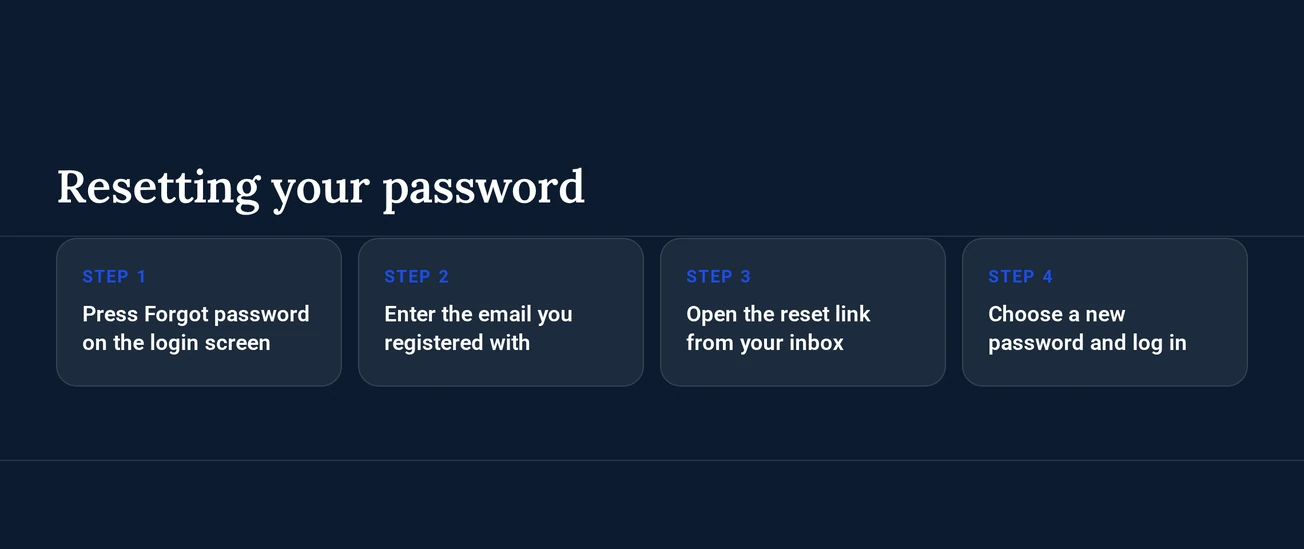
- Choose the forgotten password link on the login form.
- Type in the email address that is registered on your account.
- Go to your inbox and open the reset message.
- Choose a new password and save it.
- Sign in using the new password, then complete the email confirmation.
No reset message in your inbox? Use the missing email fix above, or open live chat, where agents reply 24/7.
Account Locked or Suspended
If your account is locked, contact support: an agent reviews it and explains how to restore access.
- Live chat and email are both open 24/7 - use whichever you prefer.
- Enter the email address that is registered on the account.
- Support looks into the account and explains the reason plus the next step.
- Carry out that instruction and send any documents the agent requests.
Self-Exclusion
Self-exclusion runs through support alone: there is no automated self-exclusion register, so you contact an agent and ask for it. If you requested a break and then cannot log in, that exclusion may be the cause, and support can confirm where the account stands. Should gambling be causing you stress, ConnexOntario can also be reached on 1-866-531-2600.
KYC Verification
Login is not blocked by KYC. Signing in works as usual, and BetGRW Casino reviews your identity and payment-method documents before your first withdrawal.
Documents to prepare:
- Identity document
- Document for the payment method in use
How the process runs:
- You sign in and play as usual.
- The casino requests the documents above before your first withdrawal.
- Send them to support or upload them to your account.
- The casino reviews the documents, and your withdrawal proceeds once the check is done.
Logging In via Mobile App
BetGRW Casino provides an Android app you download straight from the site as an APK. iPhone and iPad players have no iOS app, so they sign in through the mobile-responsive site in their browser. Every device uses your email and password plus the email confirmation, because biometric login is not offered.
| Device | Access | Login Details |
|---|---|---|
| Android | APK app or mobile browser | Email, password, email confirmation |
| iPhone and iPad | Mobile browser | Email, password, email confirmation |
| Desktop | Browser | Email, password, email confirmation |
Installing and Signing In on Android
- Load the BetGRW Casino site in the browser on your Android phone.
- Get the APK file onto your device.
- When your phone prompts you, permit the installation, then launch the app.
- Sign in using your email and password, then finish the email confirmation.
Contact Support
Access issues are handled by live chat and email around the clock, and phone support covers selected countries at fixed hours. English and French are spoken by the agents.
| Channel | Hours | Languages |
|---|---|---|
| Live chat | 24/7 | English, French |
| 24/7 | English, French | |
| Phone: +1 873-220-0218 | 9am-10pm EST, select countries | English, French |
Information to Have Ready
Keep these details on hand when you write:
- The email address your account is registered with
- The error message, or a description of what happens when you attempt to log in
- The device and browser you use, or the Android app
FAQ
BetGRW Casino is intended for players aged 19 and over. Keep gambling as entertainment: set limits on time and spending, and step away if play stops being fun.